A cloaker that shows your offer only to the visitors you target
TrafficFilter checks every click on your ad link before a page loads. Blacklisted IPs, VPN, proxy and datacenter traffic, and visitors outside your countries, devices or languages get a safe page. The visitors you target get your offer.
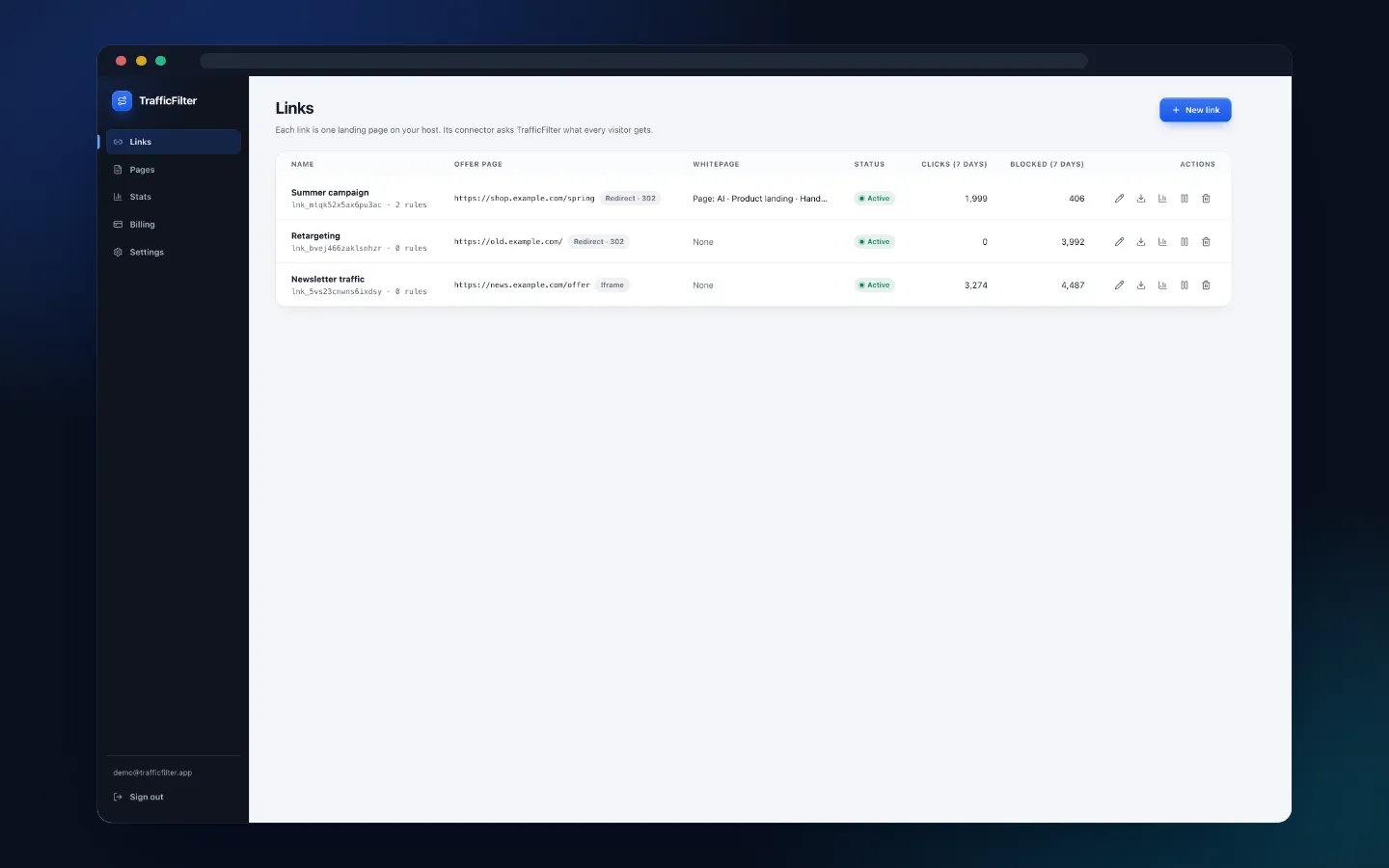
How it works
Three steps from a new link to filtered traffic.
Upload one PHP file
Download the connector for your link and upload it to your host as index.php. It needs PHP 7.4 or newer with cURL or allow_url_fopen.
Set the offer page, safe page and filters
Choose where passing visitors go and what caught visitors see, then switch on block flags, audience lists and, on paid plans, advanced rules.
Put the link in your ad
Every visit asks TrafficFilter for a decision before anything is shown. Changes you save reach your connector within 2 seconds.
What the cloaker checks
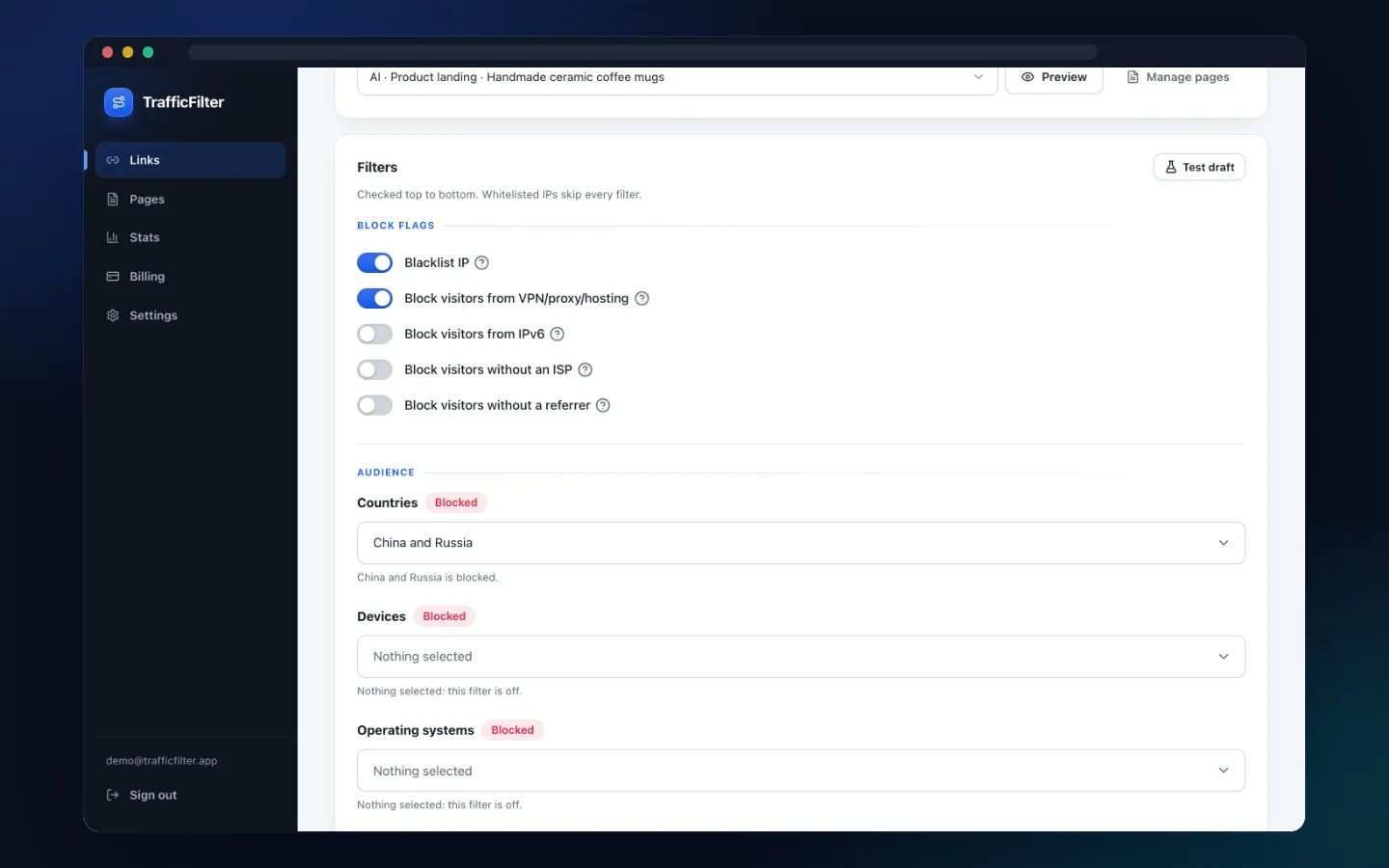
Checked top to bottom on every request. IPs on your whitelist skip every filter and go straight to the offer page.
Blacklist IP
Catches IPs on the blacklist TrafficFilter maintains, and visitors its global rules flag by user agent, ASN, network type or ISP.
VPN, proxy, Tor and datacenter
Catches VPN, proxy and Tor exit IPs and hosting networks. Paid plans.
Countries and time zones
Allow or block lists by country and by time zone, taken from an IP lookup of each visitor.
Devices, OS and browsers
Mobile, tablet or desktop. iOS, Android, Windows, macOS or Linux. Chrome, Safari, Firefox, Edge or Samsung Internet.
Browser language
Allow or block by the first language the browser sends in Accept-Language.
IPv6, no ISP, no referrer
Block IPv6 visitors, IPs with no ASN or organisation, and visits that arrive without a referrer.
Advanced rules
AND/OR rules on user agent, ISP, Accept-Language, query string, referrer host, any header or query parameter, with is, contains, regex and more. Up to 50 per link. Paid plans.
IP whitelist
Your own IPs or CIDR ranges, IPv4 or IPv6, skip every filter and always reach the offer page.
Fails closed
If a link needs the IP lookup and the lookup fails, the visitor gets the safe page, not the offer.
Safe pages
Generate the safe page instead of building one
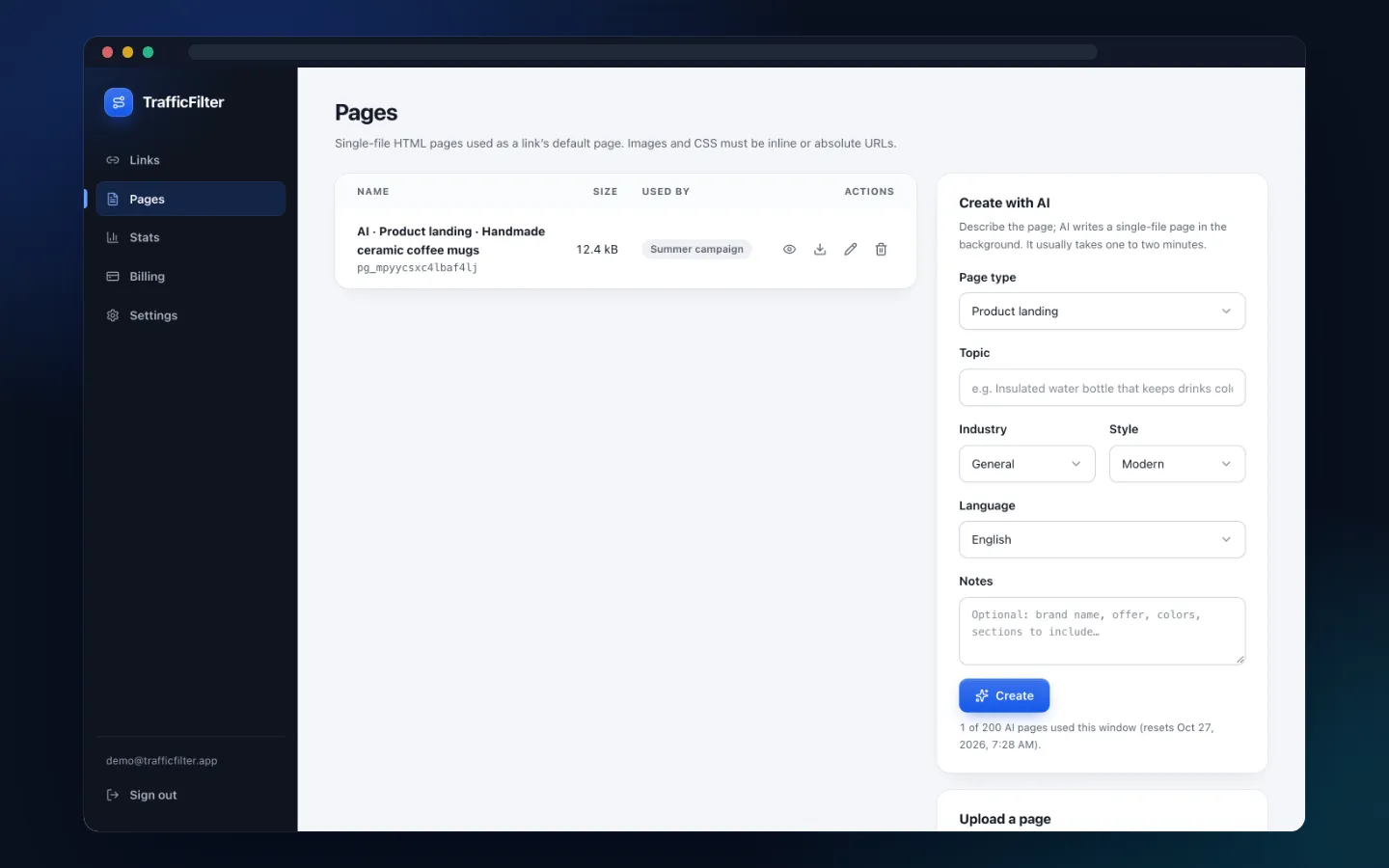
Describe the page, then pick a type, industry, style and language. AI writes a single-file HTML page in the background, usually in one to two minutes. You can also upload your own .html file or start from a template. AI pages come with paid plans.
- 4 page types: home, product landing, service, event
- 10 industries and 6 styles
- 11 languages, from English and Vietnamese to Japanese and Indonesian
Rule tester
Test your filters before you buy traffic
Run the draft of a link, saved or not, through the same pipeline live clicks go through. Set a sample visitor's IP, country, ISP, network type, user agent, referrer and query string, and see where that visitor would land.
- Ready-made sample visitors: VPN, headless Chrome, link preview and more
- Shows the decision, the reason and every pipeline step
- Network facts are inputs you set, so nothing is looked up
Offer delivery
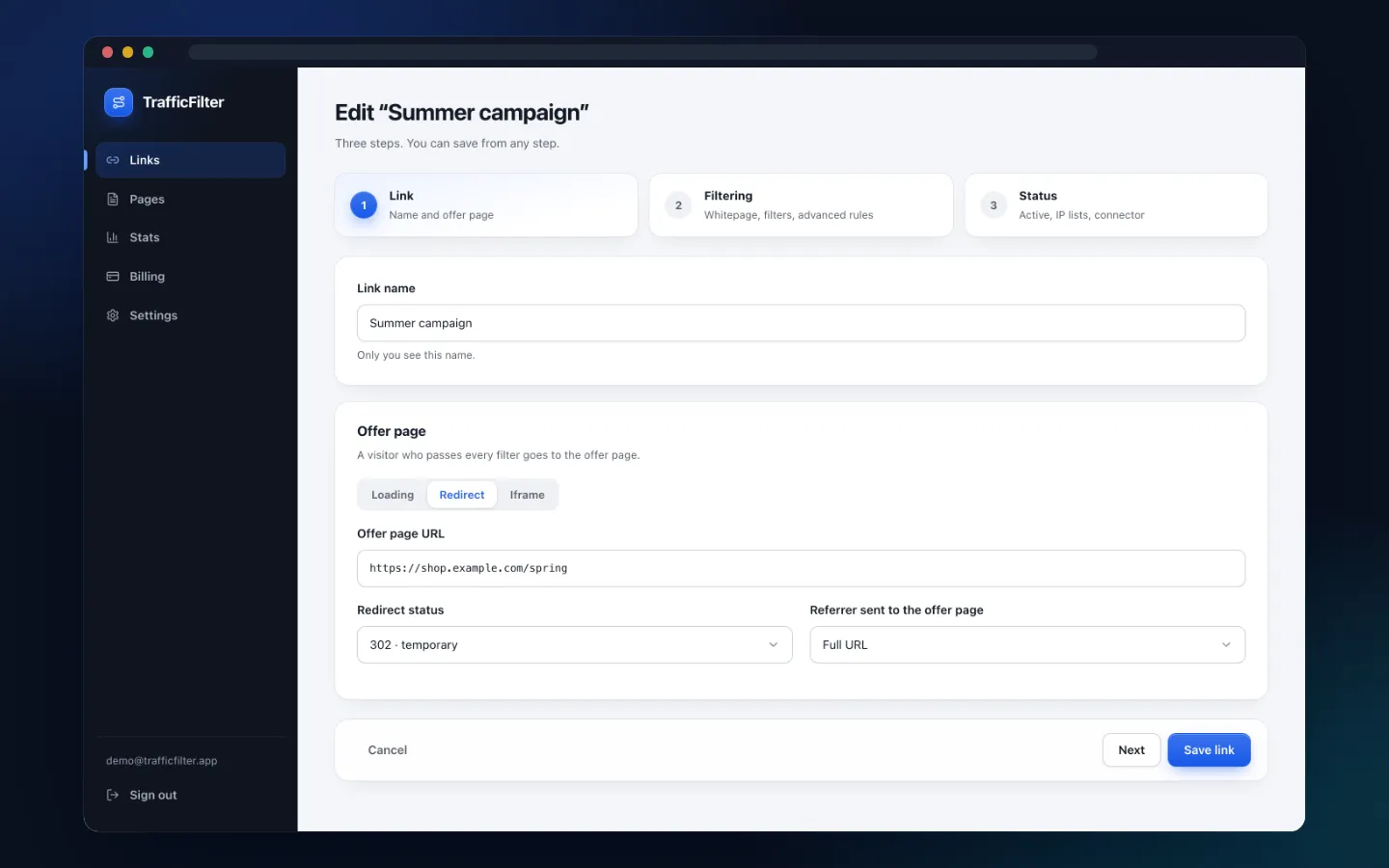
Redirect, iframe or your own domain
Choose how visitors who pass reach the offer: a redirect, a full-page iframe, or Loading, where your connector fetches the offer and shows it on your own domain. Caught visitors get the safe page by redirect, as a page hosted by TrafficFilter, or loaded on your domain.
- Redirect with status 302 or 307 and a full, origin-only or empty referrer
- Loading keeps your domain in the address bar and passes the visitor's query string
- Safe page by redirect, hosted page or Loading
Stats
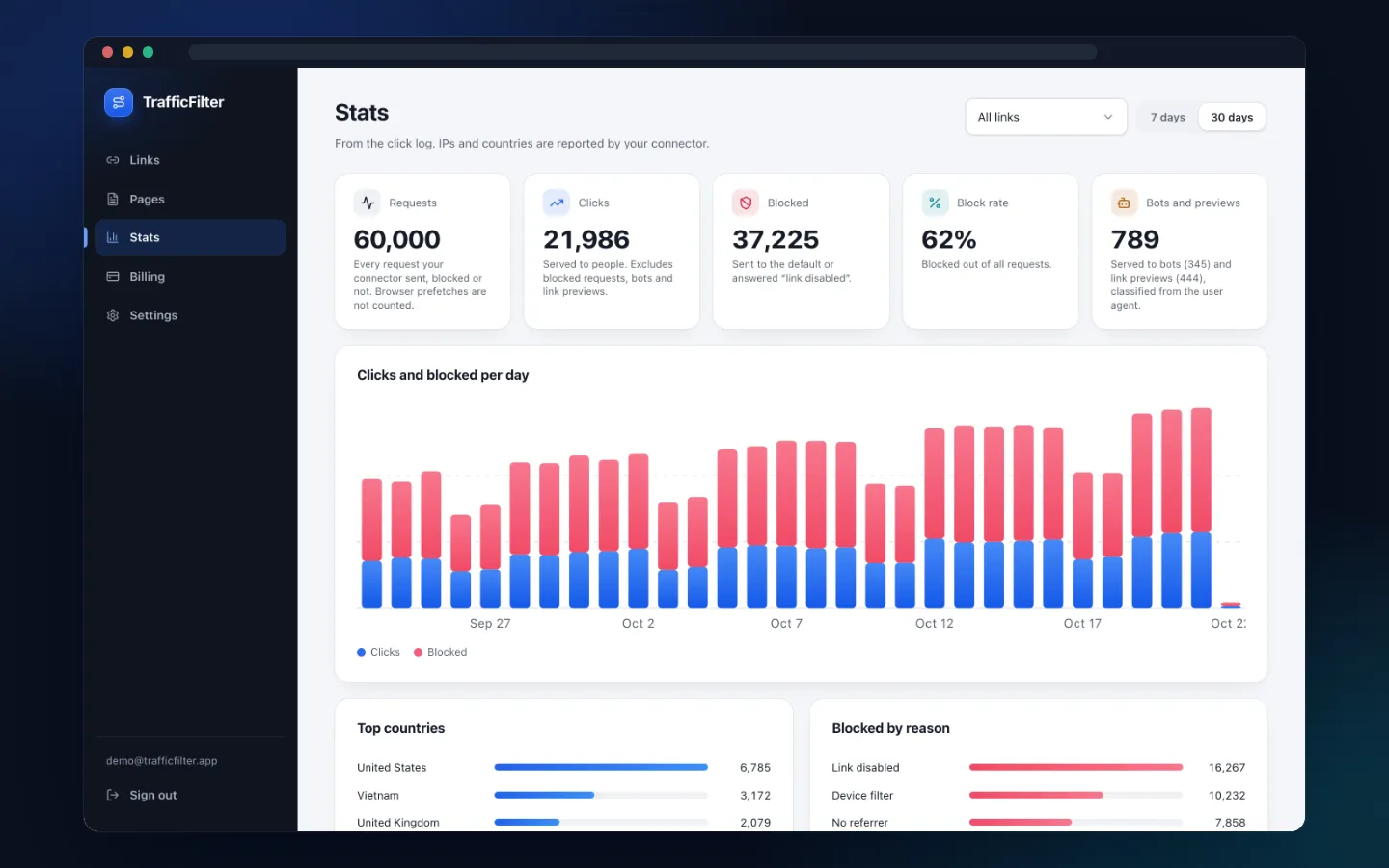
See why each request was blocked
Stats come from the click log your connector feeds, for the last 7 or 30 days, per link or across all links. Clicks count people only; blocked requests, bots and link previews are counted apart.
- Blocked by reason, down to the rule that caught the visitor
- Top countries, bots and link previews by kind
- Latest requests with IP, country, device, user agent, decision and reason
Watch a link go from setup to its first filtered click
Offer page, filters, an AI safe page, the rule tester, the connector and stats, in one take.
Pricing
Free
Try the cloaker on real traffic.
- 2 links
- 1,000 clicks per 30 days
- Block flags, audience lists and IP whitelist
- Rule tester and stats
- Uploaded and template safe pages
- No advanced rules or VPN/proxy filter
Starter
For a first campaign that needs every filter.
- 5 links
- Unlimited clicks
- 10 AI safe pages per 30 days
- Advanced rules
- VPN, proxy and datacenter filter
Pro
For a steady set of campaigns.
- 25 links
- Unlimited clicks
- 50 AI safe pages per 30 days
- Advanced rules
- VPN, proxy and datacenter filter
Business
For many offers running at once.
- Unlimited links
- Unlimited clicks
- 200 AI safe pages per 30 days
- Advanced rules
- VPN, proxy and datacenter filter
Prepaid in USDT (TRC20). Plans never renew on their own: when a paid plan ends, your account moves to Free and keeps its settings.
Questions about the cloaker
What is a cloaker?
A cloaker decides, visit by visit, which page someone gets from the same link. TrafficFilter sends visitors who pass your filters to the offer page and everyone a filter catches to a safe page.
How does TrafficFilter decide what a visitor sees?
In a fixed order: your IP whitelist, then block flags (Blacklist IP, VPN/proxy, IPv6, no ISP, no referrer), then audience lists (country, device, OS, browser, language, time zone), then advanced rules. A visitor caught anywhere gets the safe page; everyone else gets the offer.
What do I install?
One PHP file, the connector, uploaded to your host as index.php. It needs PHP 7.4 or newer with cURL or allow_url_fopen. You can also include it at the top of your own PHP page.
What is a safe page, or white page?
The page a caught visitor gets instead of the offer. Upload your own .html file, start from a template, generate one with AI on a paid plan, or point to any URL by redirect or Loading.
Can it filter bots?
There is no separate bot switch. The Blacklist IP flag catches IPs on TrafficFilter's blacklist and visitors its global rules flag. To catch a specific bot yourself, add an advanced rule on the user agent with contains or a regex. Stats show bots and link previews apart from people.
Can the offer stay on my own domain?
Yes. With Loading, your connector fetches the offer page on each visit, passes along the visitor's query string and shows it on your domain. Redirect and full-page iframe are the other two options.
What happens if TrafficFilter cannot be reached?
The connector fails closed: the page that included it keeps rendering, as for a caught visitor, or the visitor goes to the offline URL you set. If the IP lookup fails for a link that needs it, the visitor gets the safe page.
Is there a free plan?
Yes, for as long as you like: 2 links and 1,000 clicks per 30 days, without advanced rules, the VPN/proxy filter or AI pages. When the clicks run out, every link serves its safe page until the next 30-day window.
How do I pay?
In USDT on Tron (TRC20), through a hosted payment page. Plans are prepaid by month or year and never renew on their own.
Which languages can an AI safe page be written in?
English, Vietnamese, Spanish, French, German, Portuguese, Japanese, Korean, Chinese, Thai and Indonesian.
Put your first link behind the cloaker
The Free plan covers 2 links and 1,000 clicks every 30 days. Move to a paid plan when you need more.
Start free